PYRAM - Lightweight PyPy Wrapper
PYRAM is a lightweight tool to run Python programs very quickly, especially on servers. It uses PyPy 3.10 (a fast Python implementation), removes unnecessary extras, and comes with Django, PyMySQL, and NumPy ready to use. By running the PyPy interpreter directly from your computer's memory (RAM), PYRAM can deliver faster startup and execution in some scenarios.
Features
- Optimized for servers - minimal footprint and resource usage
- Includes Django, PyMySQL, and NumPy pre-installed
- Runs the PyPy interpreter from RAM for fast startup
- Simple command-line usage
- Free and open source (MIT License)
How to Install
- Make sure you have permission to use
sudoon your computer. - Download the latest version from the releases page.
-
Open your terminal and install it with this command:
sudo dpkg -i PyRAM[version].debOptionally, you can also install it with
aptif you prefer:
Note: In minor changes, apt might not update the package, so usingsudo apt install ./PyRAM[version].debdpkgis recommended for the latest updates, and apt for stable versions.
How to Use
After installing, you can run your Python script like this:
sudo pyram /path/to/your/script.py
Tip: Using sudo lets PYRAM use your
computer's memory for the best speed.
Adding More Libraries
If you need extra Python libraries, download the
.whl file for PyPy 3.10 from PyPI and install it
like this:
sudo pyram -m pip install /path/to/your_library.whl --target /path/to/your/scriptThen, just import the library in your script and run it as before:
sudo pyram /path/to/your/script/main.pyFor more help and advanced tips, check the documentation.
Benchmarks
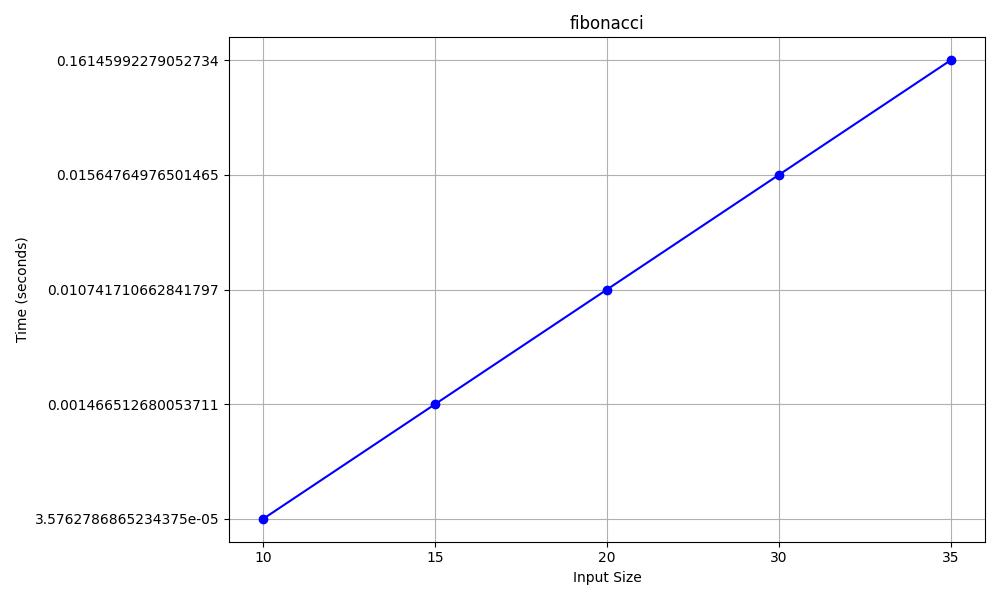
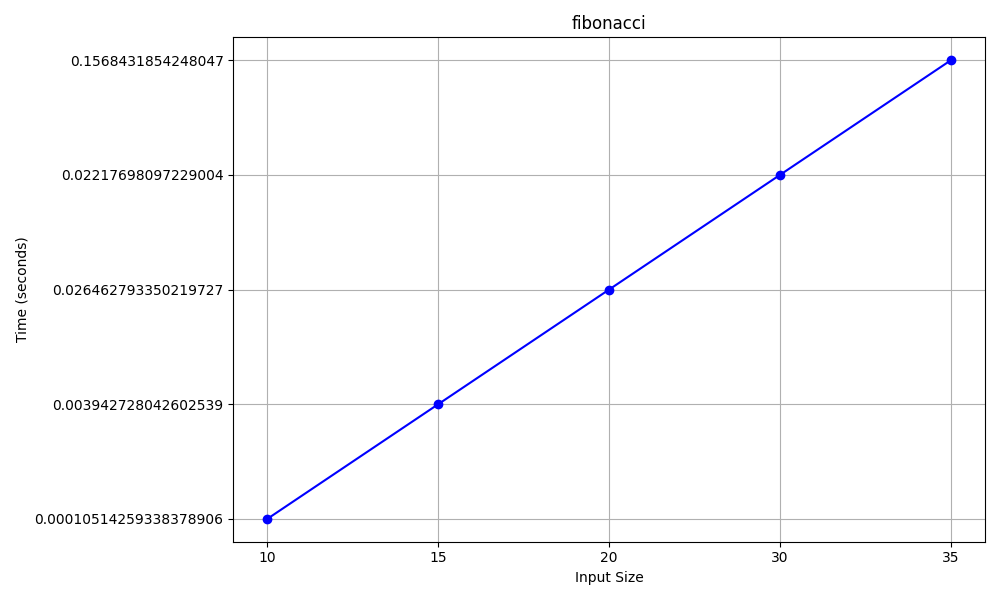
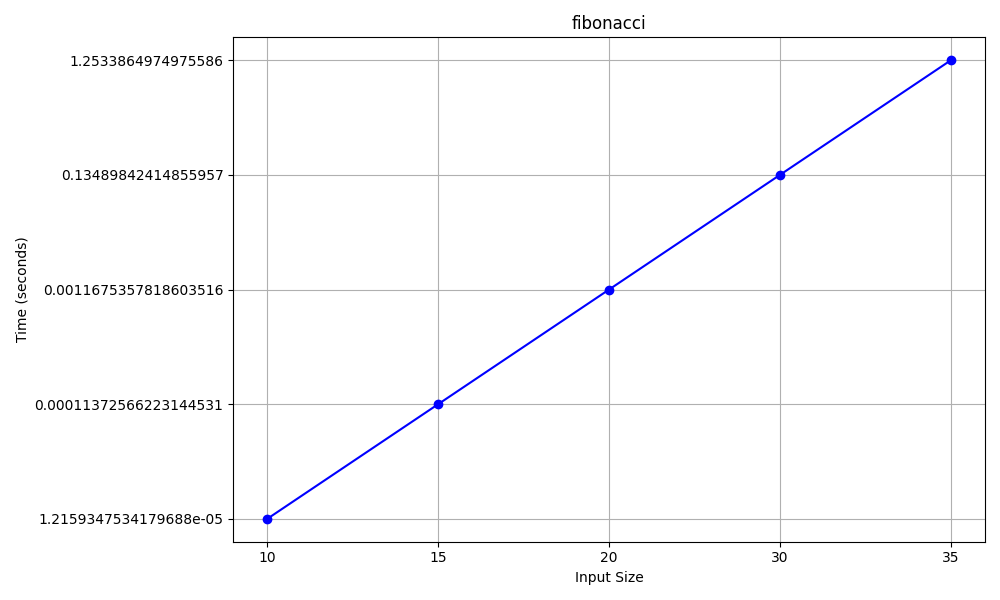
Recent benchmarks show that PYRAM matches or slightly
outperforms PyPy3 in most scenarios, especially right after boot
or on slower disks. For CPU-heavy tasks, both are much faster
than standard Python 3. In typical use with SSDs, performance is
nearly identical to PyPy3.
See detailed benchmark
results and charts.
License
PYRAM is free to use under the MIT License. You can read the full license in the LICENSE file.
Contributing
Want to help make PYRAM better? You can contribute by forking the project and sending a pull request on GitHub.